.svg)
%201.svg)


%201.svg)
담당자가 프로모션 코드를 발송해 드립니다.
와탭을 경험해 보세요.
와탭을 경험해 보세요.
와탭을 경험해 보세요.
와탭을 경험해 보세요.
와탭을 경험해 보세요.
와탭을 경험해 보세요.
와탭을 경험해 보세요.
와탭을 경험해 보세요.
WhaTap AI를 경험해 보세요.
Cloud Basics: IaaS, PaaS, & SaaS Explained
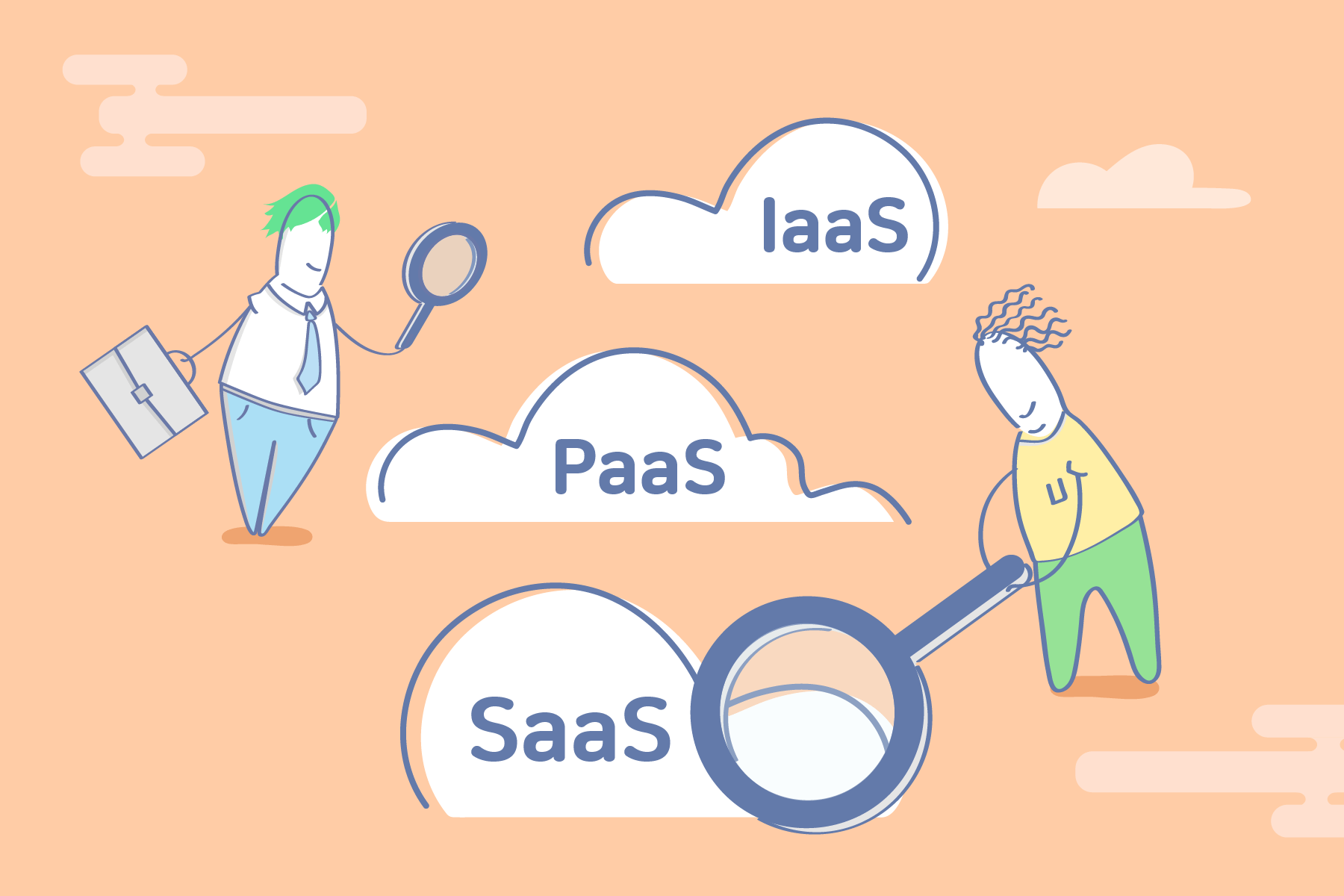
What is Cloud Computing?
Cloud Computing refers to the delivery of virtualized IT resources as a service over the internet. These services are broadly categorized into Infrastructure, Platform, and Software.
While the popularity of AWS and Azure often leads people to view cloud computing solely as infrastructure virtualization, it is actually a comprehensive concept that spans platforms and software as well. Therefore, it is essential to understand the cloud by its specific fields and characteristics.
Concepts: IaaS, PaaS, and SaaS
- Infrastructure as a Service (IaaS): Infrastructure provided as a service. It virtualizes and delivers physical IT resources such as servers, storage, and networks.
- Platform as a Service (PaaS): A platform provided as a service. It offers the environment necessary for application development and execution.
- Software as a Service (SaaS): Software provided as a service. It delivers applications directly to end-users within a cloud environment.
Differences Between IaaS, PaaS, and SaaS

- IaaS: Infrastructure-as-a-Service. It provides highly scalable and automated virtualized computing resources. Users can instantly create and manage virtual servers, storage, and networks as needed.
- PaaS: Platform-as-a-Service. It provides the platform environment required for application development. Developers can focus entirely on coding without having to manage the underlying infrastructure.
- SaaS: Software-as-a-Service. It delivers software to end-users via the internet. A third-party vendor manages the application, and most SaaS apps run directly through a web browser, requiring no downloads or installations.
What Do They Provide?
The core of understanding the cloud lies in knowing the scope of what each model—IaaS, PaaS, and SaaS—actually provides.
IaaS: Providing Physical Infrastructure
IaaS virtualizes and manages servers, networks, operating systems, and storage. These resources are provided via dashboards or APIs.
- Customers access servers and storage, but they are actually utilizing virtualized resources from a cloud data center.
- Because physical resources are fully virtualized, changing server specifications is much faster than traditional methods.
- Vendor Manages: Servers, hard drives, networking, virtualization, and storage.
- Customer Manages: Operating systems (OS), middleware, applications, and data.
PaaS: Providing a Platform to Aid Software Development
PaaS virtualizes and manages application development platforms, including operating systems, middleware, and runtimes.
- Users utilize virtualized platforms provided over the web.
- Developers can focus on software development without worrying about OS updates, storage, or infrastructure management.
- Enterprises can design and develop applications using specialized software components built into the PaaS.
- Enables the construction of highly scalable and available applications.
SaaS: Providing Finished Software
SaaS manages and provides software and data on behalf of the customer.
- Unlike traditional packaged or On-premise solutions, no installation or download is required on individual computers.
- The service provider handles all technical issues, including data, middleware, servers, and storage.
- Customers can focus on their business by eliminating the burden of maintenance and infrastructure management.
Advantages and Disadvantages
Pros of IaaS
- Cost Reduction: No initial investment (CapEx) is required since you lease resources on-demand rather than buying physical hardware.
- Rapid Deployment: Physical resources can be created and used instantly, allowing for fast service scaling.
- Efficient Management: Infrastructure management is abstracted into a logical domain, increasing efficiency.
- Automation: The deployment of physical resources is automated, significantly reducing operational overhead.
- Stability: Entrusting infrastructure to professional vendors ensures stable and reliable service.
- Flexible Scalability: Resources can be scaled up or down freely according to demand.
Pros of PaaS
- Cost Efficiency: Costs are reduced by consuming only the necessary platform on a usage basis.
- Development Speed: Development and deployment environments can be set up quickly, improving time-to-market.
- Simplified Management: Maintenance at the OS and middleware level is simplified, boosting developer productivity.
- High Flexibility: Built on virtualization, resources can be easily scaled in response to business changes.
- Tool Support: Provides various built-in services for testing, deployment, and development.
- Ease of Collaboration: Multiple users can access the same development environment simultaneously.
- Cons: Vendor Lock-in—there is a risk of becoming dependent on a specific vendor's technical stack.
Pros of SaaS
- Low Entry Cost: Uses a subscription or usage-based model, drastically lowering initial adoption and maintenance costs.
- Immediate Use: Can be used instantly without a separate installation process.
- Minimal Management Burden: Since the software runs in the cloud, no physical infrastructure is needed.
- High Accessibility: Can be accessed from anywhere at any time, as long as there is an internet connection.
- Cons: Limited Customization—it is difficult to tailor the software because users rely on the vendor's provided features and structure.
When Should You Apply Each?
- IaaS: When you need rapid change and flexibilityIaaS is an excellent option for startups and SMEs, as they don't have to waste time and money installing hardware. It is also useful for large organizations that want complete control over their applications and infrastructure but only want to pay for what they actually consume.
- PaaS: If you want rapid developmentPaaS is beneficial when multiple developers are working on the same project or when external vendors need to be included. It provides speed and flexibility for creating customized applications and simplifies the complexities of rapid deployment.
- SaaS: If you want to focus on your businessUnless dealing with highly sensitive security matters, SaaS is a great option for any business. It is particularly advantageous for short-term projects requiring collaboration or when mobile access is needed, as on-premise solutions often lack mobile support.
Real-World Examples

- IaaS Providers: Amazon Web Services (AWS), Microsoft Azure, DigitalOcean, Google Compute Engine (GCE).
- PaaS Providers: AWS Elastic Beanstalk, Windows Azure, Heroku, Google App Engine.
- SaaS Providers: Google Apps, Dropbox, Salesforce, WhaTap.
Conclusion
Many decision-makers today are weighing the move to the cloud, and countless startups are building cloud-native services. To successfully adopt the cloud, you must clearly identify which model—IaaS, PaaS, or SaaS—fits your needs. Furthermore, if your own service is cloud-based, you must be able to clearly explain its value to your customers.
WhaTap Labs provides a rare SaaS monitoring service in the Korean market. Launched in July 2015, the service has been growing steadily for over 10 years. We look forward to seeing even more innovative cloud services emerge in Korea.
.webp)
.webp)


