.svg)
%201.svg)


%201.svg)
담당자가 프로모션 코드를 발송해 드립니다.
와탭을 경험해 보세요.
와탭을 경험해 보세요.
와탭을 경험해 보세요.
와탭을 경험해 보세요.
와탭을 경험해 보세요.
와탭을 경험해 보세요.
와탭을 경험해 보세요.
와탭을 경험해 보세요.
WhaTap AI를 경험해 보세요.
What Is Kubernetes (K8s)? Concepts, Benefits, and How It Differs from Docker
Hello! We're WhaTap Labs, an AI-native observability platform.
Once you're running dozens of containers, you hit the limits of manual operations. Services scale too fast and change too frequently for humans to monitor and respond to everything by hand. That's exactly where Kubernetes comes in.
In this article, we'll walk you through the core concepts of Kubernetes, how it differs from Docker, and how it's used in practice—all in a way that's easy to follow, even if you're just getting started.
What Is Kubernetes (K8s)?
Kubernetes is an open-source platform that automates the deployment, scaling, and management of containerized applications. It's often abbreviated as K8s and takes its name from the Greek word for "helmsman." Just as a helmsman steers a ship and guides it through the waters, Kubernetes steers your complex container environment in the right direction.

Why Do We Need Container Orchestration?
Application runtime environments have evolved from physical servers to virtual machines (VMs) to containers. A container bundles an application along with everything it needs to run into a single, lightweight package. Compared to VMs, containers are smaller, faster to deploy, and come with virtually no performance overhead.
But once you're dealing with dozens or hundreds of containers, managing them manually becomes impossible. Container orchestration is like having a conductor for an orchestra—it automatically decides when to create containers, where to place them, and how to recover when something goes wrong.
Born at Google: The Purpose Behind Kubernetes
Kubernetes was built by engineers at Google. Starting around 2003, Google ran an internal cluster management system called Borg to manage the infrastructure behind Google Search, Gmail, YouTube, and more. Drawing on over 15 years of experience—and handling more than 2 billion container deployments per week—Google open-sourced Kubernetes in June 2014.
Version 1.0 was released in July 2015, and the project is now maintained by the CNCF (Cloud Native Computing Foundation). The goal is straightforward: empower anyone to run large-scale container environments reliably and efficiently.
So what exactly do you gain by adopting Kubernetes?
Why Use Kubernetes? The Key Benefits
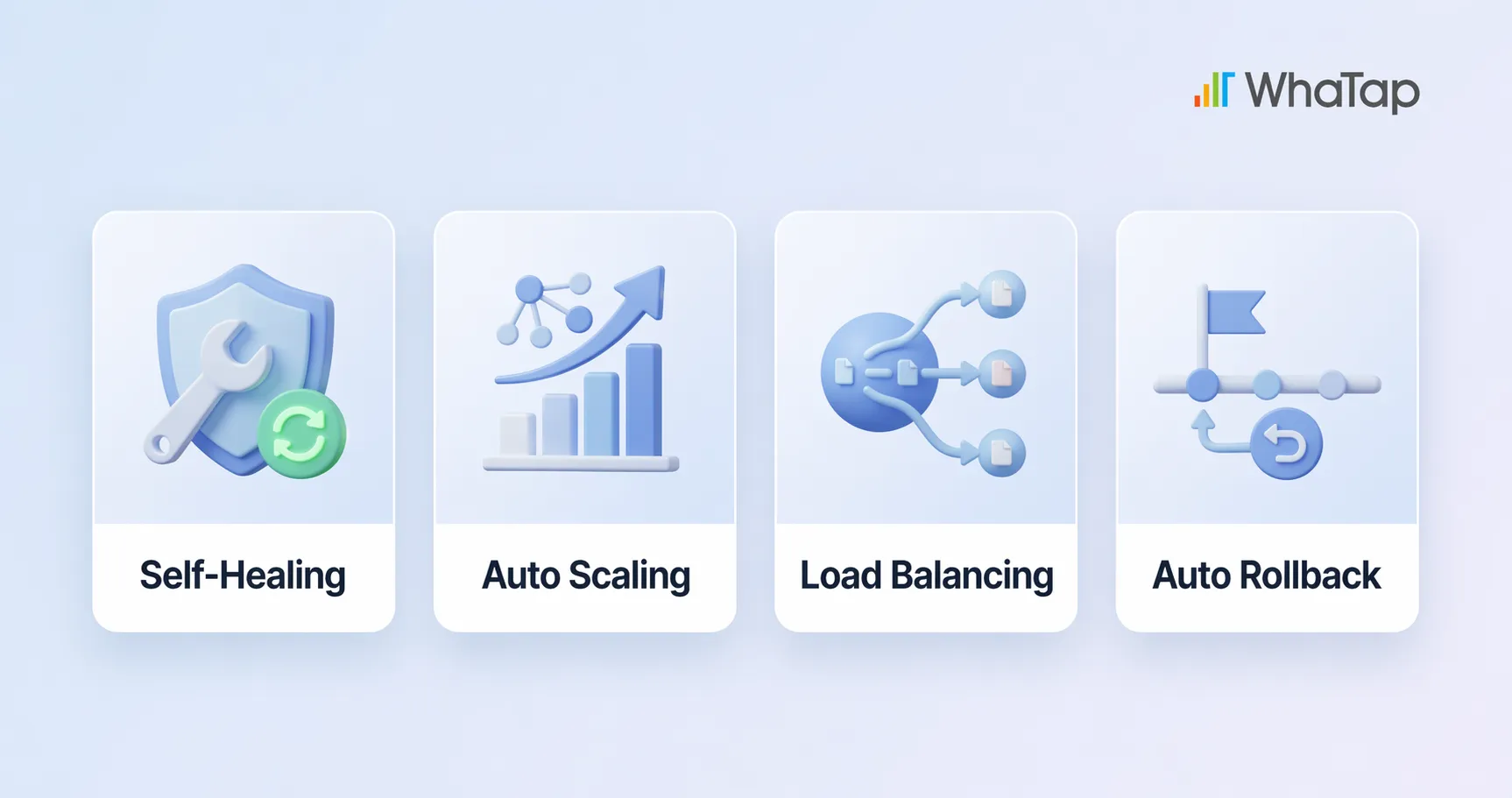
Self-Healing
If a container suddenly crashes or throws an error, Kubernetes automatically detects the issue and either restarts it or replaces it with a new container. A ReplicaSet ensures the configured number of Pods is always maintained, so even if some fail, the overall service stays unaffected. The recovery happens behind the scenes—users never notice a thing.
Auto-Scaling
When traffic spikes, Kubernetes automatically scales up containers based on CPU or memory usage. The Horizontal Pod Autoscaler (HPA) adjusts the number of Pods, the Vertical Pod Autoscaler (VPA) adjusts resource allocation per Pod, and the Cluster Autoscaler scales the number of nodes. When traffic drops, it scales back down to save costs. No one has to manually add or remove servers—the system adapts to demand on its own.
Load Balancing
When requests pile up on a single container, it gets overloaded and response times suffer. Kubernetes Service resources distribute incoming traffic evenly across multiple Pods, preventing any single container from becoming a bottleneck. For external traffic, you can also use Ingress (domain/path-based routing) or LoadBalancer resources. The result: users always get a fast, stable experience.
Rolling Updates and Automated Rollbacks
Kubernetes supports several zero-downtime deployment strategies, including Rolling Update, Blue-Green, and Canary deployments. New versions are rolled out gradually while users continue to experience a stable service. If something goes wrong during a deployment, Kubernetes automatically rolls back to the last known good version. System state is managed declaratively through YAML files, and when paired with GitOps tools like ArgoCD, deployments can be triggered automatically with every code change.
How does all of this work under the hood? Let's look at Kubernetes' internal architecture.
The 4 Core Components of Kubernetes and How They Work
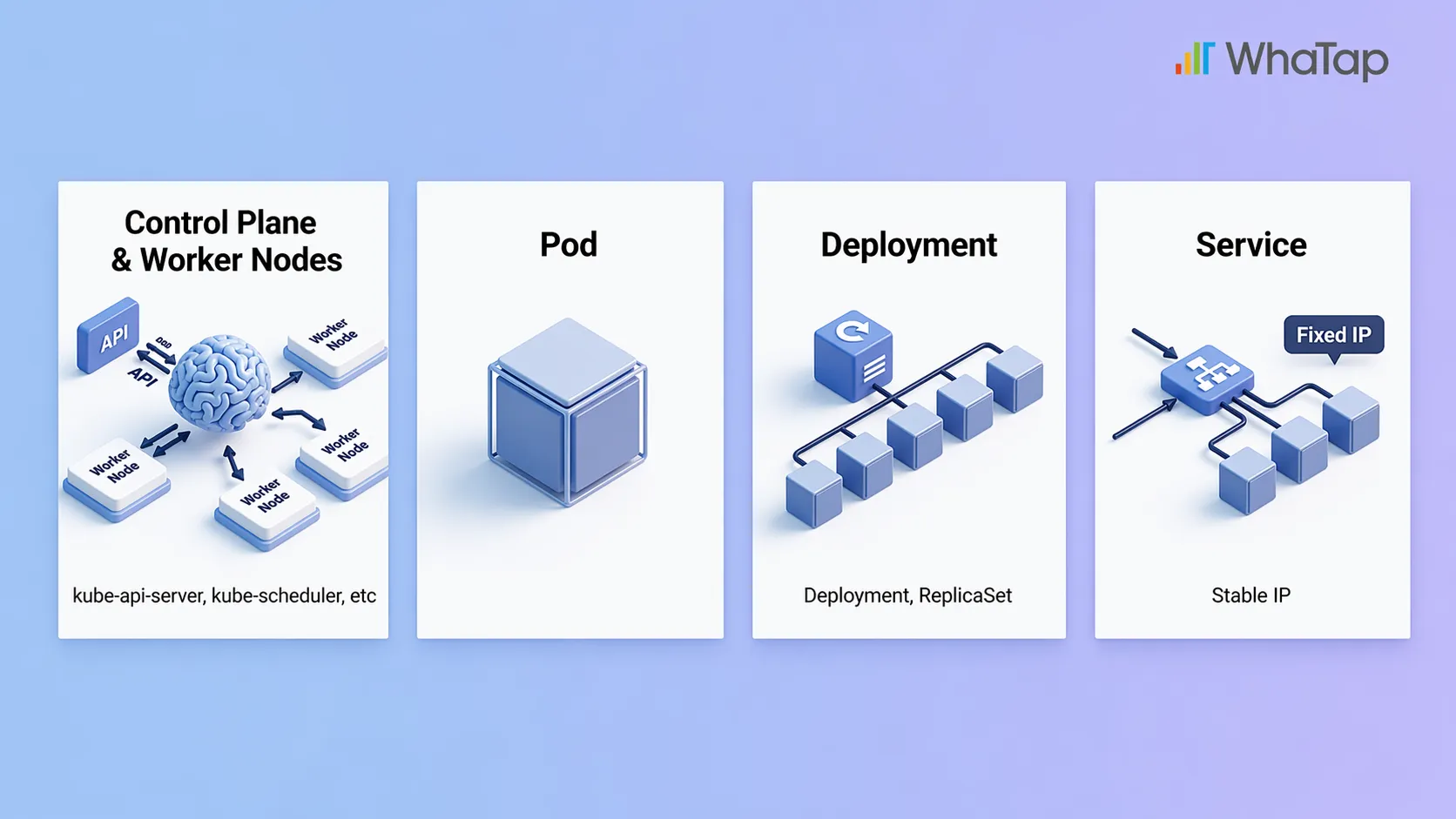
1. Control Plane and Worker Nodes: The Brain and the Workers
The most fundamental unit in Kubernetes is the cluster. A cluster is made up of multiple Nodes, which fall into two categories: the Control Plane and Worker Nodes.
- The Control Plane is the brain. It decides which workloads go on which nodes (kube-scheduler), monitors the overall system state (kube-controller-manager), and issues commands (kube-apiserver). All cluster configuration data is stored in a key-value store called etcd.
- Worker Nodes are the workers. They follow the Control Plane's instructions to actually run containers and serve applications. Each Worker Node has a kubelet (a node agent) that handles creating, deleting, and monitoring containers, along with a kube-proxy that manages Pod-to-Pod networking and external traffic routing.
2. Pods: The Smallest Unit of Work
A Pod is the smallest deployable unit in Kubernetes. A single Pod contains one or more containers that run together. Containers within the same Pod share the same network (IP address) and storage. Think of a Pod as a work order, and the containers inside it as the individual tasks listed on that order.
3. Deployments: The Playbook for Keeping Things Running
A Deployment is essentially an instruction that says "keep this many Pods running." For example, if you set it to maintain 3 Pods, and one dies, Kubernetes automatically spins up a new one to restore the count to 3. Under the hood, a ReplicaSet manages the Pod count. Updates are straightforward too—new versions are rolled out incrementally, and if anything goes wrong, the system can automatically roll back to the previous version.
4. Services: Stable Addresses and External Access
Every time a Pod is created or deleted, it gets a new IP address. A Service provides a fixed access point in front of a group of Pods, so you can always reach them consistently, even as Pods come and go (this is called service discovery). Whether traffic is coming from outside the cluster or from other Pods, communication stays reliable through this stable address. Think of it like a company's main phone number—even when the person answering changes, the number stays the same.
At this point, you might be wondering how Kubernetes differs from Docker.
Docker vs. Kubernetes: What's the Difference?
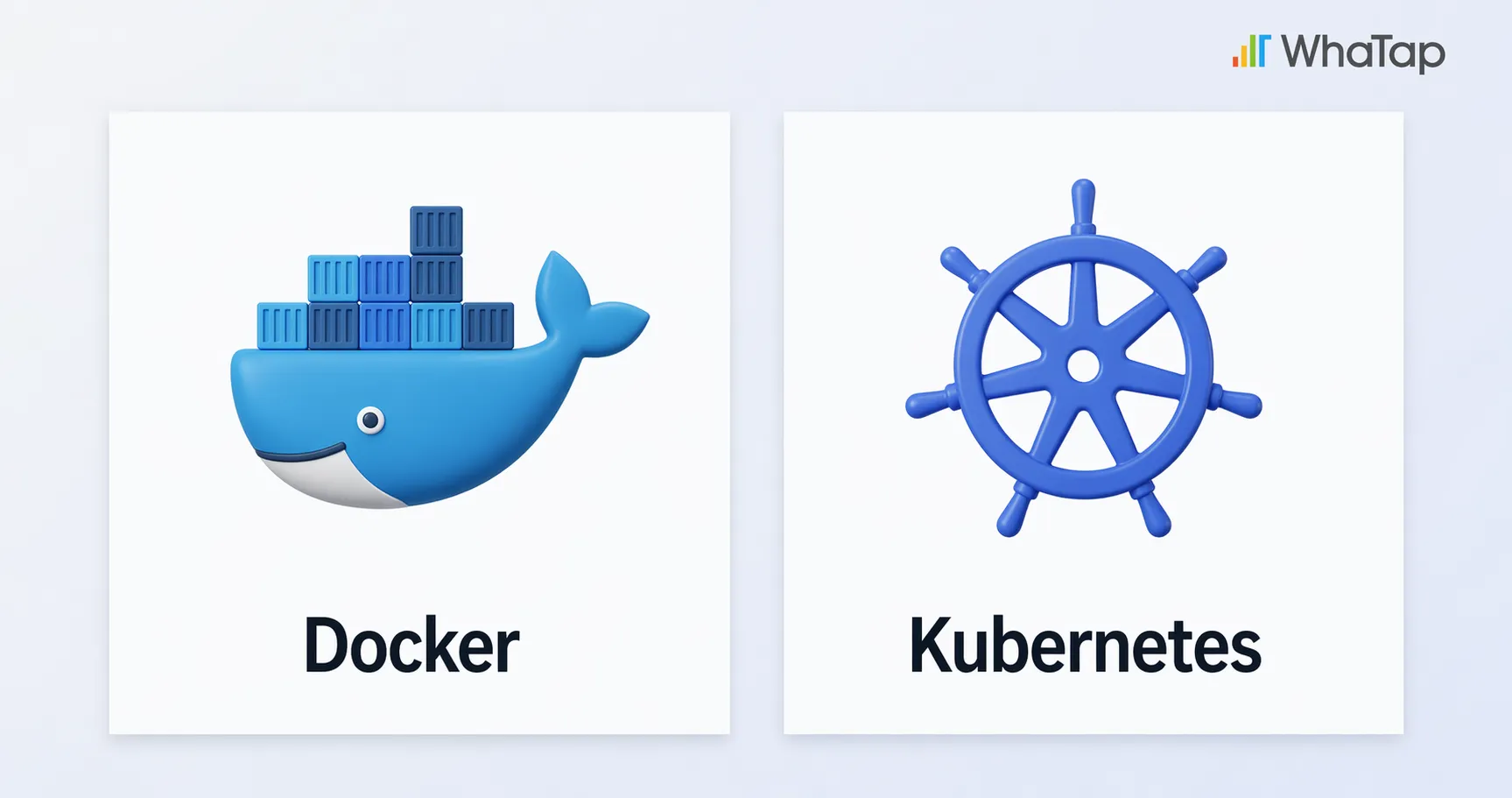
Docker and Kubernetes aren't competitors—they play different roles. Docker is a tool for creating containers; Kubernetes is a tool for managing them. To use a kitchen analogy: Docker is the airtight container you store food in, and Kubernetes is the smart fridge that organizes those containers and pulls out what you need.
That said, you may have heard that "Kubernetes dropped Docker support." What actually happened?
Kubernetes Dropped Docker Support—Why, and What Replaced It?
A common misconception is that "Kubernetes abandoned Docker." What actually happened is that Kubernetes stopped using Docker as a container runtime. Kubernetes communicates with container runtimes through a standard interface called CRI (Container Runtime Interface). Docker predates CRI and never supported it, so Kubernetes used an adapter called dockershim to bridge the gap.
Over time, maintaining dockershim became a burden—it added unnecessary complexity and vendor-specific code that went against open-source principles. In 2022, with version 1.24, dockershim was removed entirely.
The replacements are CRI-compatible runtimes like containerd and CRI-O. Since containerd was already the runtime running inside Docker all along, the practical impact for most users was minimal. And because Docker images follow the OCI standard, they still run just fine on Kubernetes. You can absolutely keep using Docker in your development workflow—nothing changes there.
Real-World Examples: How Companies Use Kubernetes
Spotify: 2–3x Better CPU Utilization Through Microservices and Faster Deployments

- The situation: Spotify used microservices and containers from its early days. Initially, they relied on their own orchestration tool called Helios, but eventually switched to Kubernetes for broader community support and greater efficiency.
- The result: Spinning up a new service and getting it into production went from over an hour to just a few minutes. Auto-scaling improved average CPU utilization by 2–3x. Today, Spotify handles over 10 million requests per second on Kubernetes.
Airbnb: Handling Traffic Surges, Cutting Costs, and 10x Faster Deployments
.webp)
- The situation: Airbnb started with a monolithic architecture on Amazon EC2, but struggled with traffic spikes during peak seasons and slow deployment cycles.
- The result: After adopting Kubernetes, Airbnb could handle 300% traffic surges during peak periods using Auto Scaling (HPA, VPA, Cluster Autoscaler). By allocating only the resources they actually needed, they significantly reduced server costs. They now deploy over 4 million containers per day, with deployment speeds 10x faster than before.
The benefits are clear, but there are a few things to check before jumping in.
3 Things to Check Before Adopting Kubernetes
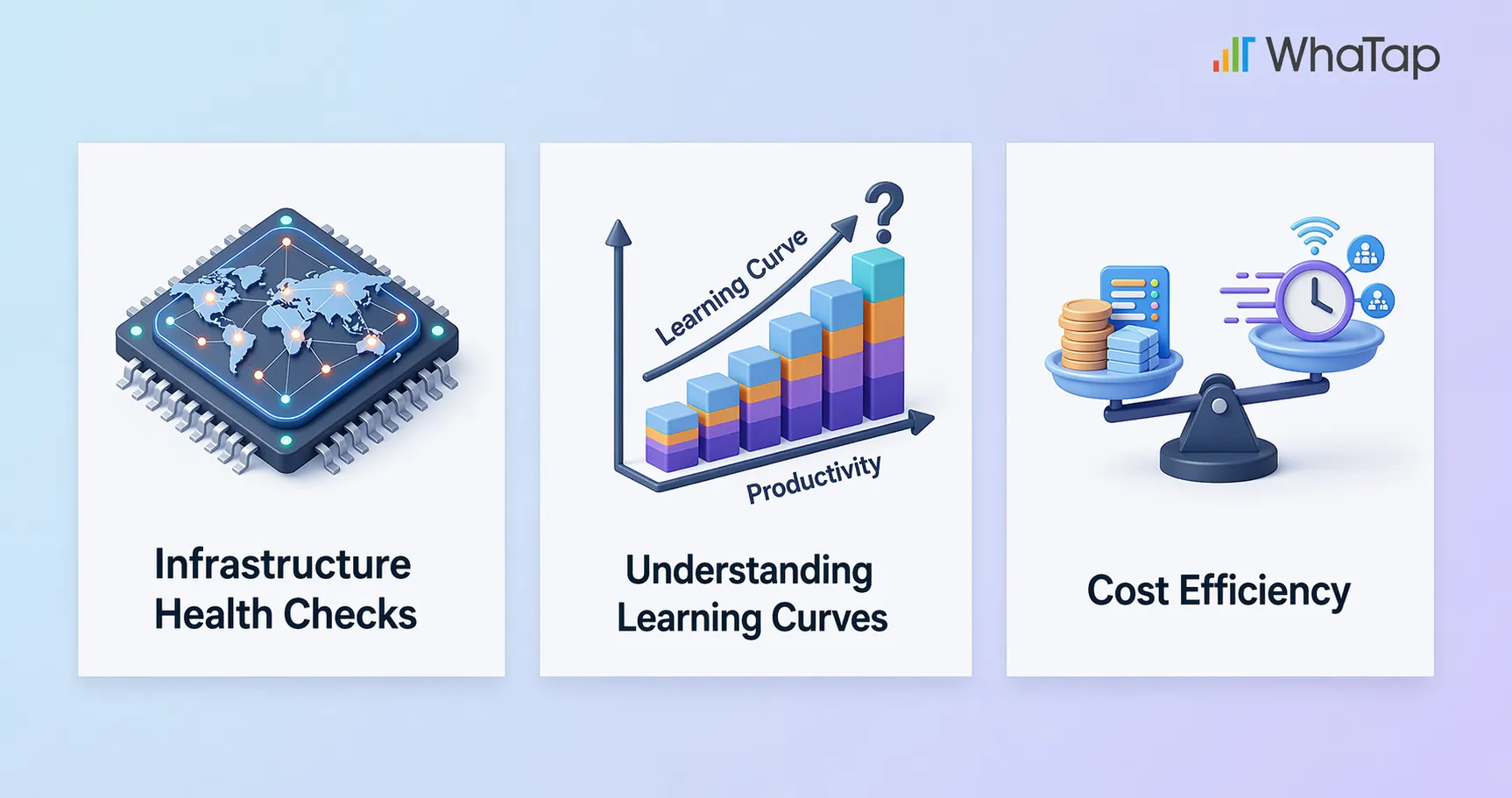
1. Assess Your Infrastructure
Kubernetes runs on on-premises, public cloud, and hybrid environments. But before adopting it, evaluate whether your current infrastructure is compatible, whether your network configuration is adequate, and whether you want to use a managed service (EKS, GKE, AKS) or build your own cluster.
2. Acknowledge the Learning Curve
Kubernetes is powerful, but it comes with a learning curve. You'll need to get comfortable with YAML configuration files, cluster setup, networking concepts, and more. Be realistic about whether your team has Kubernetes experience, and if not, how much time you can set aside for training and onboarding.
3. Weigh Cost vs. Efficiency
Kubernetes itself is open source and free, but running clusters involves infrastructure and personnel costs. For small-scale services, it may be overkill. For large-scale services, the cost savings from automation can be substantial. Evaluate the ROI based on your service's current size and growth plans.
Despite these considerations, many companies choose Kubernetes for good reason—it's not just a trend; it's becoming the industry standard.
In the Cloud-Native Era, Kubernetes Is the Standard
AWS, Google Cloud, and Azure all offer managed Kubernetes services (EKS, GKE, AKS). With a massive ecosystem centered around the CNCF, Kubernetes has evolved beyond a container management tool into the de facto standard for cloud-native infrastructure.
One of Kubernetes' greatest strengths is portability. You can deploy applications the same way whether you're running on-premises, in a public cloud, or in a hybrid environment. Because there's no vendor lock-in, you can adapt flexibly to multi-cloud strategies or future infrastructure changes.
On top of that, most cutting-edge cloud technologies—security, networking, service meshes, CI/CD, AI/ML workloads—are being built on top of Kubernetes. Core tools like Istio, Prometheus, ArgoCD, and Kubeflow were all born in this ecosystem. Adopting Kubernetes isn't just choosing a tool; it's stepping onto an entire platform.
Even though Kubernetes automates much of the operational work, you still need visibility into what's happening under the hood. That's where monitoring comes in.
Start Your Kubernetes Monitoring with WhaTap
Even with Kubernetes handling failure recovery, scaling, and deployments automatically, someone still needs to understand why issues occur and how much resources are being consumed. But Kubernetes' diverse resources each require different data collection methods, and simply listing raw data doesn't give you real visibility.
WhaTap provides unified monitoring—from the Control Plane to your applications—bringing metrics, traces, logs, and events into a single view. This helps you resolve issues faster and make better decisions about cost optimization.
1. Unified Monitoring with Container Maps
Container Maps offer both Container View and Pod View for intuitive, real-time status awareness. With grouping, filtering, and a variety of visualization options, you can perform correlated analysis across metrics, traces, and logs—all the way down to root cause analysis.
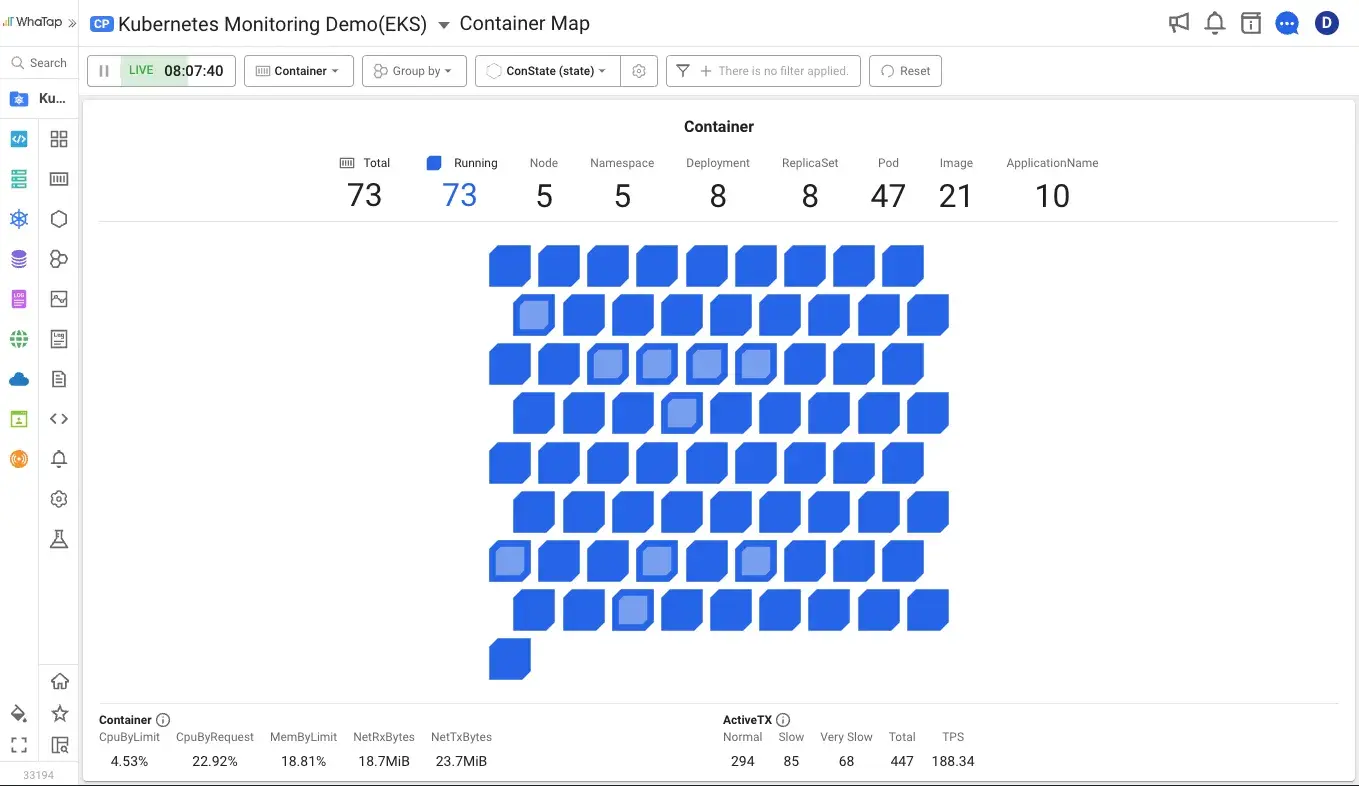
2. Real-Time Monitoring at Scale, at a Reasonable Cost
Monitor hundreds of nodes at per-second granularity with no added overhead. A fair licensing model keeps costs manageable. You can compare object manifests directly on screen, tracking configuration changes without running a single command.
3. Deep Application Analysis Inside Containers
Trace API call relationships across transactions in distributed Pod environments. With hitmaps, multi-transaction tracing, and MSA analysis, you can drill deep into applications built on Java, Node.js, and Python.
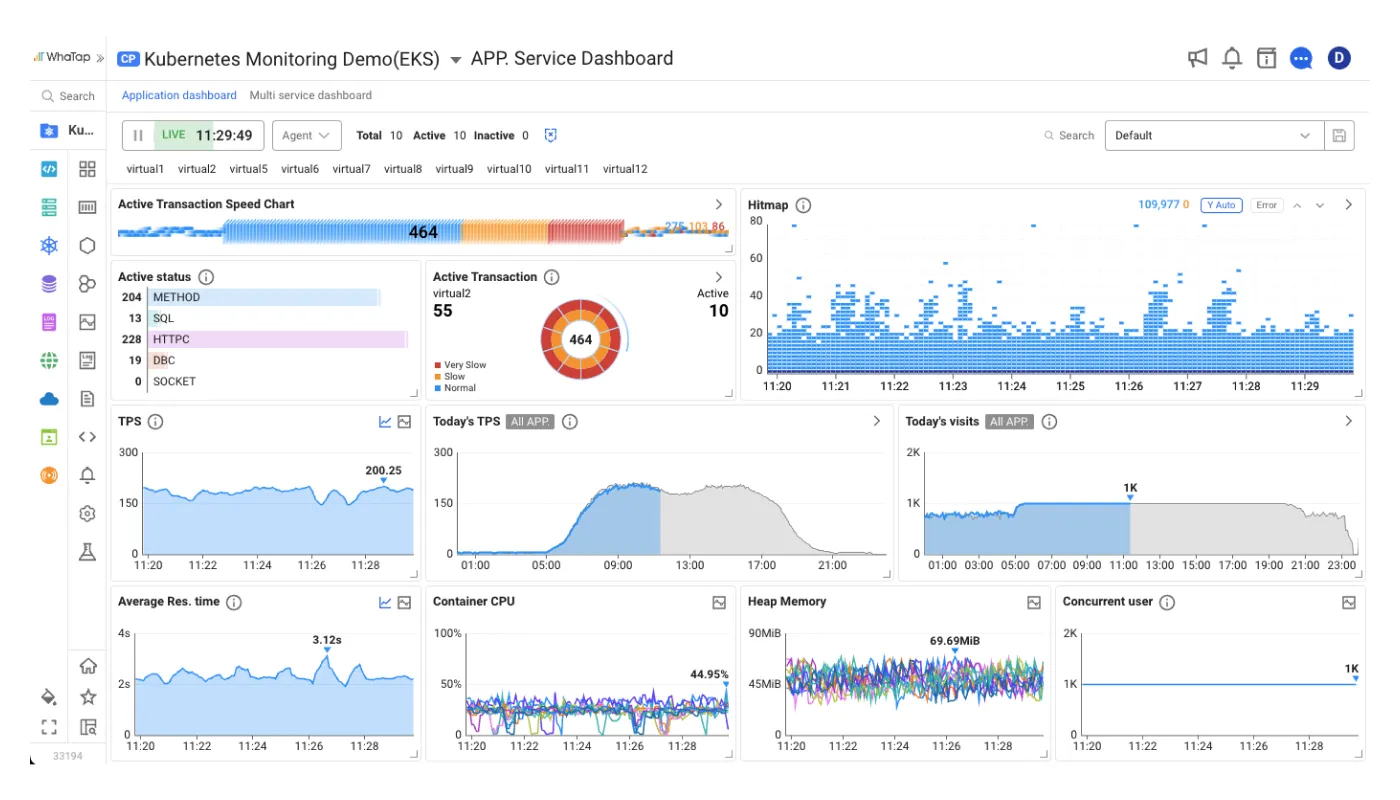
4. Integrated Monitoring for Prometheus/Grafana Environments
If you already have a Prometheus/Grafana monitoring setup, WhaTap's OpenMetrics integration lets you consolidate everything into a single platform. No more switching between dashboards—you can view and manage custom metrics alongside everything else.
If you're preparing to adopt Kubernetes, start with monitoring—try WhaTap for free.
Start Kubernetes Monitoring for Free →
Kubernetes FAQ
1. Are Kubernetes and Docker the same thing?
No. Docker is a tool for building and running containers. Kubernetes is an orchestration platform for managing and automating those containers at scale. They're complementary, not competing. The typical workflow is to build and test images with Docker during development, then deploy and manage them with Kubernetes in production.
2. Kubernetes dropped Docker support—does that mean I can't use Docker anymore?
No. What Kubernetes removed in v1.24 was dockershim, the adapter between the Docker engine and CRI. Even within Docker, actual container execution was handled by containerd, so after dockershim was removed, using containerd directly as your runtime produces the same behavior. You can still build and test images with Docker in your development environment, and Docker images comply with the OCI standard, so they run normally on Kubernetes. The alternative runtimes are containerd and CRI-O.
3. Do I need Kubernetes for a small-scale service?
Not necessarily. If you're running a small number of containers with low traffic, Docker Compose or simpler deployment approaches may be sufficient. That said, if you're planning to grow, it's worth evaluating Kubernetes early.
4. Why do I need Kubernetes monitoring?
Kubernetes has powerful automation, but humans still need to observe and track system state. Resource usage trends, root cause analysis, and cost optimization all start with monitoring data. An observability platform like WhaTap—one that integrates metrics, traces, and logs—can significantly boost operational efficiency.
5. What does the "8" in K8s stand for?
K8s is shorthand for Kubernetes. The 8 represents the eight letters between the "K" and the "s" (u-b-e-r-n-e-t-e). It follows the same naming convention used elsewhere in tech, like i18n (internationalization) and l10n (localization).
.webp)
.webp)


